![TD_Logotype_White_RGB.png]](https://knowledge.tradedoubler.com/hs-fs/hubfs/TD_Logotype_White_RGB.png?height=40&name=TD_Logotype_White_RGB.png)
Installation
Please follow THIS LINK to download the Shopify module app.
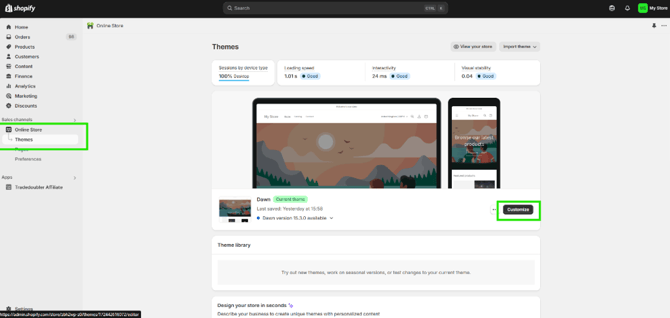
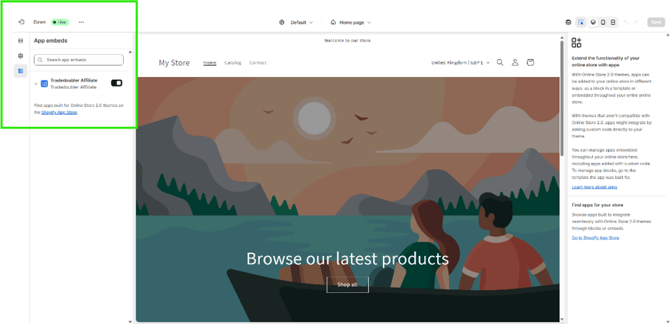
Once you’re in the module, there are a few instructions to help you get started, including allowing pop-ups for login and enabling app tracking in the ‘Theme’ section. When you log in for the first time, you may need to click ‘Allow’ to continue with the setup.
A direct link is available within the module to enable app tracking. Go to:
Online Shop > Themes > Customise > App Integrations (in the left-hand sidebar)
Then enable the Tradedoubler button.
Tracking settings
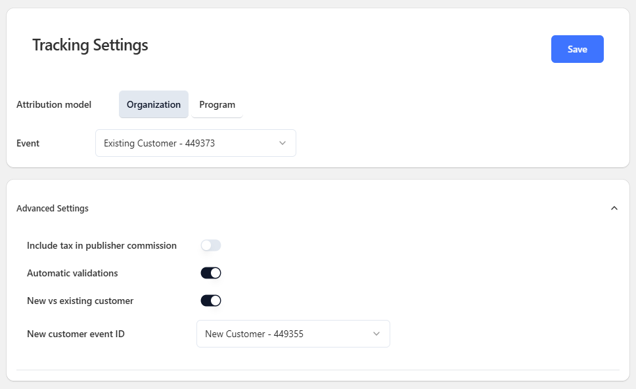
Attribution model
- If there is one Shopify store for your program(s), usually the case when you have one domain, then you will opt for 'Organization'.
- If you have two or more individual Shopify stores for your programs then you will opt for 'Program' and repeat the setup of the app on each store.
Event
- This determines the 'Event ID' used for calculating commission, your event ID(s) will be in the dropdown menu ready to select.
Advanced settings
- "Include Tax In Publisher Commission": This sets whether we use net or gross order value in calculating commission.
Apply pixel and test sale
Once you are happy with this part of the setup, save the details and click "Tradedoubler Affiliate" on the left to return to the home screen. From here you can click "Install Pixel" to apply your new scripts; if you would like to make any amendments to the settings, click "Settings" and re-install the pixel afterwards.
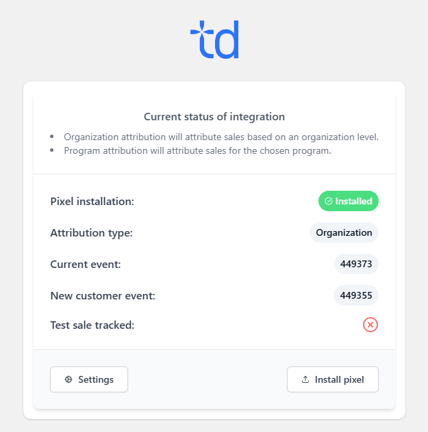
The final step is to complete a test sale by using the test sale link and completing a sale as normal. Access the Grow platform > click on My Programs in the menu > Program > Tracking Validation. It can take a up to 10 minutes to appear in ‘Transactions’.
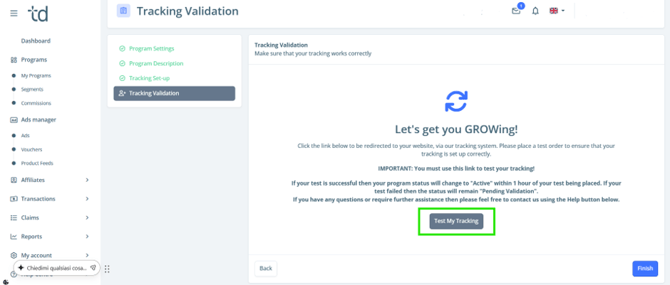
Using a test link will emulate a customer click on an advertisement before fulfilling a valid sale, using the Tradedoubler test publisher with no commissions.
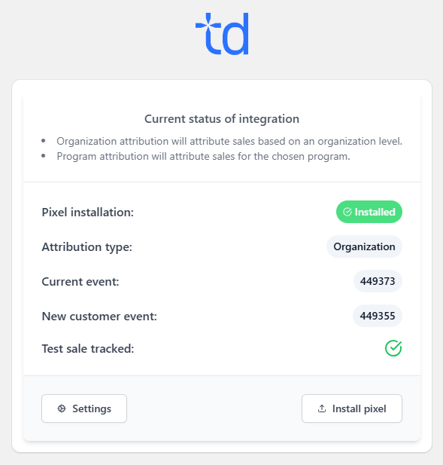
If you have any questions, or if you have completed the setup and test sale, please contact growsupport@tradedoubler.com and we can review.